



Download PowerDirector Mobile – Professional Video Editing Tool for Android & iOS
Overview: Why PowerDirector Mobile Stands Out in the Mobile Video Editing Landscape
PowerDirector Mobile, developed by CyberLink Corp., is an award‑winning video editor that brings desktop‑grade capabilities to the palm of your hand. While many smartphone video apps limit you to basic trimming or a handful of filters, PowerDirector Mobile offers a full‑featured timeline, more than 60 visual effects, and seamless integration with social platforms like YouTube and Facebook. Whether you’re a hobbyist capturing family moments, a travel vlogger documenting a road trip, or a small‑business owner needing quick promotional clips, this app provides the flexibility to craft high‑definition videos without compromising on quality.
The app’s core strength lies in its intuitive, finger‑swipe driven interface. Drag‑and‑drop functionality makes it simple to import footage from your camera roll, while a clear, scrollable timeline gives you pixel‑perfect control over trimming, splitting, and layering. PowerDirector Mobile also supports multi‑track editing, allowing you to overlay music, voice‑overs, and picture‑in‑picture clips—all from a mobile device. Its export engine is optimized for speed, delivering 1080p video ready for immediate upload to the cloud.
From a security standpoint, PowerDirector Mobile adheres to industry‑standard encryption for all file transfers, and regular updates ensure compatibility with the latest Android and iOS releases. The app is free to download with optional in‑app purchases for premium assets and advanced features, making it a cost‑effective solution for creators on a budget.
Core Features & Editing Suite: What You Get When You Download PowerDirector Mobile
- Timeline‑Style Editing: Drag‑and‑drop clips onto a multi‑track timeline, trim with pinch gestures, and adjust clip speed in real time.
- 30+ Transition Effects: Fade, slide, zoom, and specialty transitions that add cinematic flow between scenes.
- 60+ Visual Effects: Filters, glitch, lens flare, and color‑grading presets that transform raw footage into polished content.
- Advanced Speed Controls: Slow‑motion, fast‑forward, and frame‑by‑frame playback for creative storytelling.
- Voice‑Over & Audio Mixing: Record narration directly in the app, overlay background music, and fine‑tune audio levels with built‑in equalizers.
- Text & Title Templates: Over 100 animated titles, lower‑thirds, and captions that can be customized for font, color, and duration.
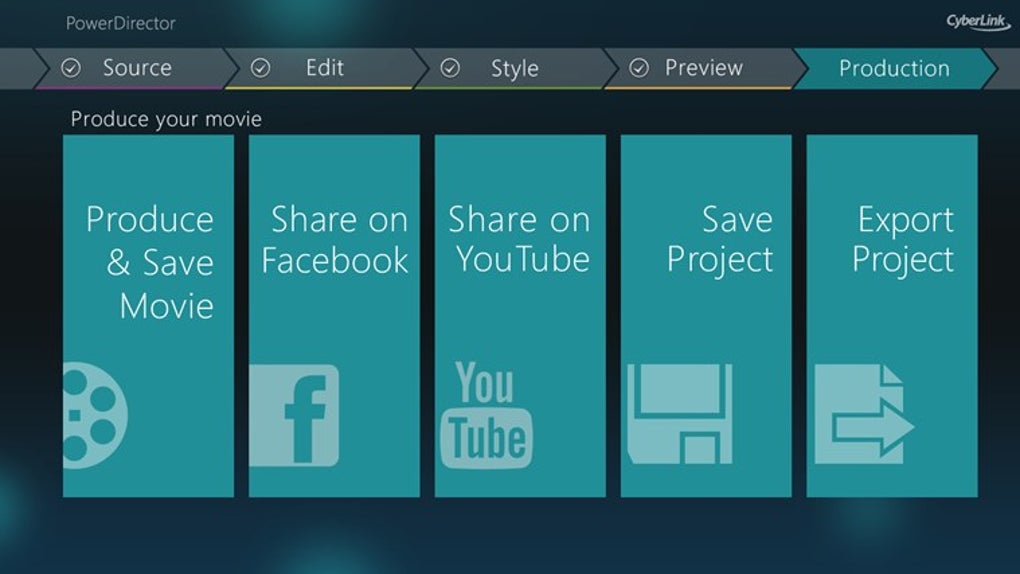
- Export to Social Platforms: One‑click publishing to YouTube, Facebook, Instagram, and TikTok with optimized resolution settings.
- HD Export Options: Export up to 1080p Full HD, with bitrate controls for smaller file sizes when needed.
- Cloud Sync & Project Backup: Save projects to CyberLink Cloud for cross‑device access and safe storage.
- Regular Updates & Asset Library: Monthly content packs add new transitions, effects, and royalty‑free music tracks.
Beyond the list, PowerDirector Mobile excels at integrating advanced features into a mobile‑first workflow. The app supports keyframe animation, letting you animate position, scale, and opacity over time—something typically reserved for desktop NLEs (non‑linear editors). Its AI‑driven “auto‑enhance” tool analyses each clip and suggests optimal color correction, saving time for creators who lack a deep technical background.
Another noteworthy inclusion is the “Storyboard” mode, which automatically arranges imported clips based on audio cues and visual similarity. This feature is especially helpful for users who shoot a lot of raw footage and need a quick way to generate a rough cut before fine‑tuning the edit. Overall, the feature set strikes a balance between depth for power users and simplicity for beginners.
Installation, First‑Run Setup & Everyday Usage Tips
Step‑by‑Step Installation
Downloading PowerDirector Mobile is straightforward. Visit the Google Play Store for Android devices or the Apple App Store for iOS. Search for “PowerDirector Mobile” and tap Install. The download size is approximately 150 MB, and the installation process typically completes within a few minutes on a standard 4G/5G connection.
Once installed, launch the app and sign in with a CyberLink account. If you don’t have one, the app offers a quick registration flow using an email address or social login (Google/Facebook). Signing in unlocks cloud sync, premium asset packs, and the ability to export directly to online platforms.
First‑Run Configuration
During the initial launch, PowerDirector Mobile guides you through a short tutorial that covers:
- Importing media from your device gallery or external storage.
- Understanding the timeline layout and basic gesture controls.
- Applying a transition or effect to a clip.
- Exporting a finished video to a chosen resolution.
You can skip the tutorial and revisit it later via the Settings → Help menu.
Everyday Workflow Tips
For efficient editing on the go, consider these best practices:
- Organize before you import: Create folders in your phone’s gallery (e.g., “Vlog May 2025”) so you can select groups of clips in one tap.
- Use the “Quick Trim” tool: Swipe left or right on a clip thumbnail to trim the start/end without opening the full editor.
- Leverage preset templates: The “Quick Create” feature lets you select a theme (e.g., Travel, Birthday) and automatically adds matching transitions, titles, and music.
- Save drafts frequently: PowerDirector Mobile auto‑saves every few seconds, but manually tapping the “Save Project” icon ensures you never lose work if the app crashes.
- Export with appropriate bitrate: For social media, choose 8 Mbps for 1080p; for archiving, select 12 Mbps for higher quality.
By following these steps, you’ll be able to produce professional‑looking videos in minutes rather than hours.
Compatibility, System Requirements, Pros & Cons
Supported Platforms: Android 5.0 or later (ARM64 recommended) and iOS 12.0 or later. The app runs smoothly on most modern smartphones and tablets, including Samsung Galaxy S series, Google Pixel, iPhone 12/13/14, and iPad Pro.
Pros
- Desktop‑level timeline and multi‑track editing on mobile.
- Extensive library of transitions, effects, and title templates.
- Direct export to YouTube, Facebook, Instagram, and TikTok.
- AI‑powered auto‑enhance and storyboard generation.
- Regular updates and a growing asset marketplace.
Cons
- Advanced features (e.g., keyframe animation) require a premium subscription.
- Export speed can be slower on low‑end Android devices.
- Some users report occasional crashes when handling very large projects (>2 GB).
- Limited native support for 4K export (max 1080p on mobile).
Overall Rating: 4.5/5 – PowerDirector Mobile delivers a compelling mix of power and portability, making it one of the top choices for creators who need to edit on the go.
Frequently Asked Questions (FAQ)
Is PowerDirector Mobile free to use?
The core editor is free to download and use. However, premium assets, advanced features like keyframe animation, and ad‑free usage require a subscription or one‑time in‑app purchases.
Can I edit 4K footage on PowerDirector Mobile?
Mobile devices are limited to 1080p export. You can import 4K clips for trimming and basic edits, but the final render will be downscaled to Full HD.
Does PowerDirector Mobile support external microphones?
Yes. Both Android and iOS versions can record audio from USB‑C, Lightning, or Bluetooth microphones, making it easy to capture high‑quality voice‑overs.
How does cloud backup work?
When you sign in with a CyberLink account, your projects are automatically synced to CyberLink Cloud. You can access and continue editing the same project on any device logged into the same account.
Is there a limit on the length of videos I can create?
There is no hard time‑limit, but very long projects (over 30 minutes) may affect performance on lower‑end smartphones. Splitting large projects into smaller segments is recommended for smoother editing.
Conclusion & Call to Action
PowerDirector Mobile bridges the gap between desktop‑grade video production and the convenience of a handheld device. Its robust timeline, extensive effect library, and seamless social export make it a go‑to solution for creators who need to produce polished videos while traveling, at events, or during brief creative bursts. While the free version offers substantial functionality, the optional premium subscription unlocks the full suite of advanced tools that rival traditional NLE software.
If you’re ready to elevate your mobile storytelling, click the button below to download PowerDirector Mobile from the Google Play Store or Apple App Store. Start with the free version, explore the built‑in templates, and consider the premium upgrade when you need that extra creative edge.
Download PowerDirector Mobile for Android | Download PowerDirector Mobile for iOS







